ATAG

Warranty

Warranty

Contact Us

Contact Us

Products

Find your perfect boiler

Find your perfect boiler

iC Economiser combination

iC Economiser combination

iC Combination

iC Combination

iS System

iS System

iR Regular

iR Regular

Smart controls & thermostats

Smart controls & thermostats

Cylinders

Cylinders

Heat pumps

Heat pumps
Coming 2026

Electric boilers

Electric boilers
Coming 2026

Support & Advice

Support Hub

Support Hub

Product manuals

Product manuals

Troubleshooting

Troubleshooting

ATAG Zone app

ATAG Zone app

ATAG ONE Zone

ATAG ONE Zone

ATAG Cube

ATAG Cube

ATAG Roomstat

ATAG Roomstat

TADO v3

TADO v3

FAQs

FAQs

Winter boiler care

Winter boiler care

Radiators

Radiators

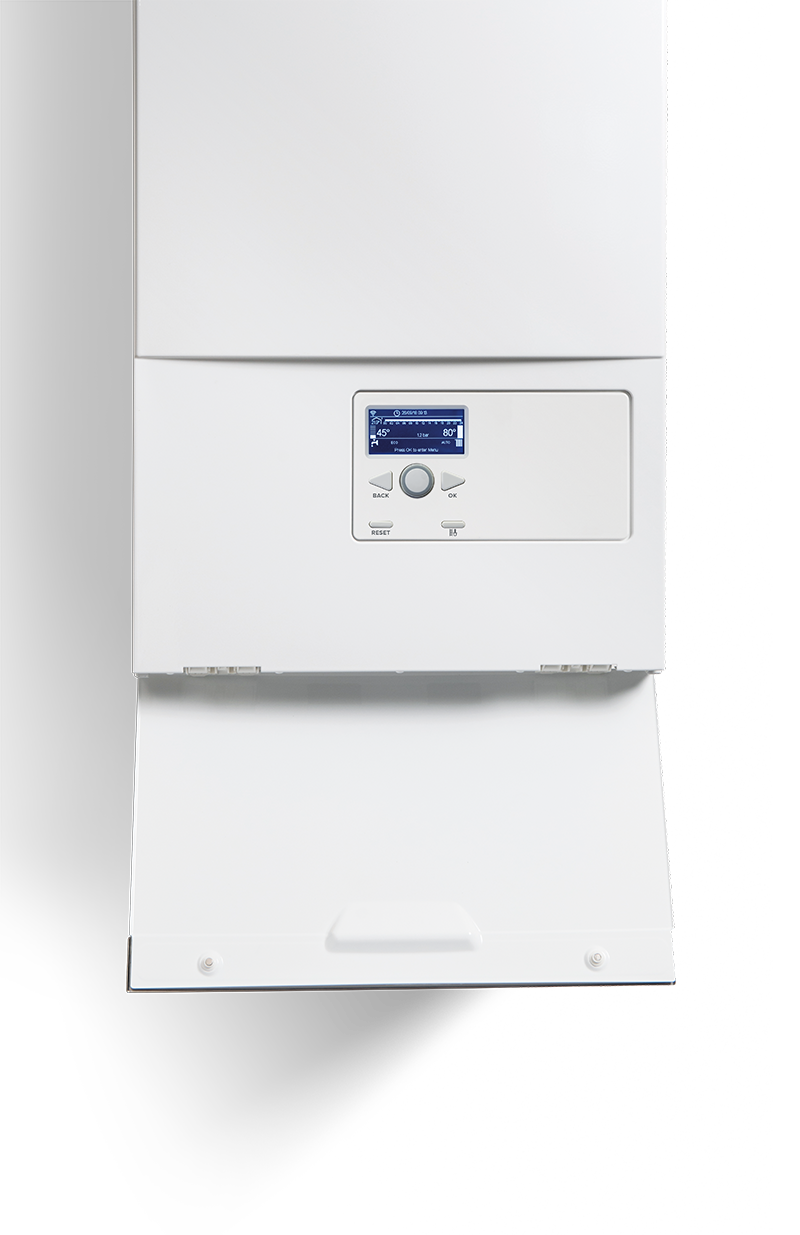
Image of a boiler with controls cover open

BOILER & CONTROLS

troubleshooting

If the boiler is displaying an error code, and the code is 118 or 108 or 1P4 (which indicates low water pressure) - please see the article "What does the 118/108/1P4 code mean?” - otherwise, please call us on 0800 680 0100 - options 1 then 1.
Whilst we embrace e-mail and social media channels, they should not be used for reporting problems with your boiler.
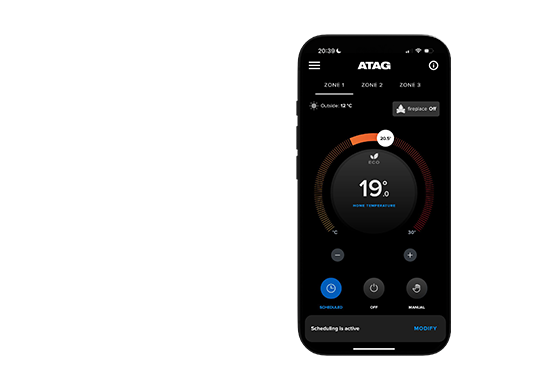
You can download the app for Apple devices from the App Store and Android devices from Google Play.
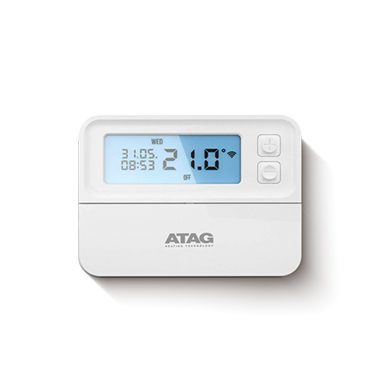
(System has a 7 day digital wireless room stat or 24 hour mechanical wireless room stat)?
Check the minimum room temperature setting; this should be a low temperature setting e.g. 8 °C to 12 °C.

If the minimum setting is too high e.g. 18 °C, then when the room temperature falls below 18 °C during an off period, the wireless room stat will alert the boiler and heat the house up to 18 °C even if no heat is required.
Error code 118 could mean that the system pressure is too low and you may see that the system pressure gauge indicates that the pressure is below 0.8 - 1 bar.

The pressure within the system can be seen in two ways. There is an analogue gauge, which can be found under the bottom left hand side of the boiler or you can find a digital reading from the digital display of the control panel. The digital display can be seen by pressing the Eco button for 6 seconds and then scroll through (tap + plus button) to 'A6' which will display the water pressure.

The system pressure should be set around 1.0 - 1.2 bar when the water is cold.

When the system is working and the water is heated up within the system, since water expands due to heat and you may see the pressure rise up to around 1.8 - 2.4bar. This is normal as water system pressure increases due to heat.

So we are looking for the system pressure to be set around 1.0 - 1.2 bar when the water is cold.

Turn off any clocks and room thermostat for heating or hot water controls.

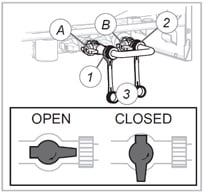
On the iC and iC Economiser Plus models, to re-pressurise the system you will need to find the filling loop (copper 'U' shaped tube with two nuts at each end). On the underside of the boiler there is a filling loop position where this copper 'U' shaped tube will connect between the small blue and black isolation valve connection. If not in position, remove the caps and install as shown and tighten up the nuts hand tight.

Image of the filling loop

The taps should be opened a quarter of a turn and the water will start to refill the system (water should be heard filling the system). You should see the pressure gauge rise back up between 1 bar and 1.2 bar pressure and then stop filling. The error code 118 will stop and the boiler will now operate. If the error code 118 is still active, fill up the system a little more but not over 1.4bar.

The display should now show 'OK', which means the pressure level is correct and the boiler is ready to operate.

(If you do fill the system too much and the pressure gauge is too high, just bleed water from a radiator until the pressure on the gauge goes down to below 1.2 bar).

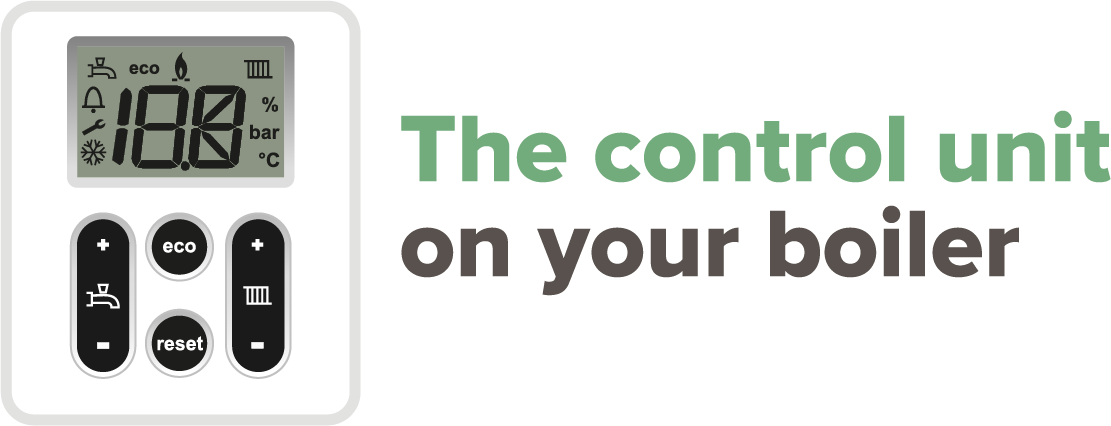
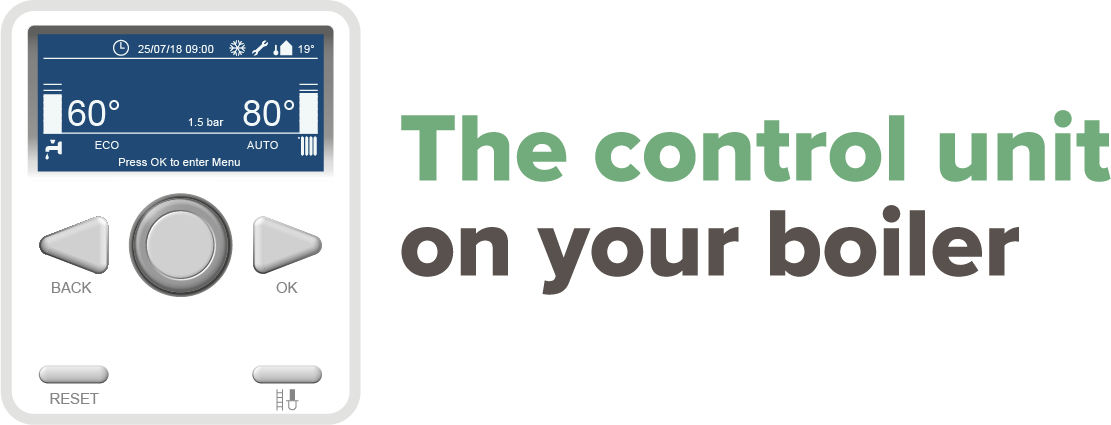
Image of a control unit with the text 'The control unit on your boiler'

Symbol Explanation
radiator icon If there is heat request, it is indicated by a square around the rad symbol and the description the bottom of the screen of 'C.Heating Active'.
tap icon If there is a hot water request, this is indicated by a square around the tap symbol and the description at the bottom of the screen of 'DHW Active'.
flame icon Visible when boiler is active for heating or DHW
eco icon Visible when DHW comfort function is not active
snowflake icon Visible when pump is set to continuously. Flashing when frost program is active (iC & iS Range only)
Errors Explanation
spanner icon Blocking Code with spanner symbol Error is temporary and will clear itself or will lock the boiler after several attempts (error)
bell icon Error Code with bell symbol Boiler is locked and can only be remedied by a reset and/or intervention by a service technician
Error codes Explanation
101 Overheat
102 Pressure Sensor Error
103 Flow Check Failed 3 times (1 or 3 or 4, last 1)
104 Flow Check Failed
105 Flow Check Failed 3 times (1 or 3 or 4, last 3)
106 Flow Check Failed 3 times (1 or 3 or 4, last 4)
107 Flow Check 5 Failed
108 Pressure < Pmin ( < 0.5 bar), Filling needed
1P1 Flow Check 1 Failed
1P2 Flow Check 3 Failed
1P3 Flow Check 4 Failed
1P4 Pressure < Pmin ( 0.5 < 0.8 bar), Filling needed
1P9 Water pressure dynamic check
109 Pressure > Pmax
110 Send Probe Damaged
112 Return Probe Damaged
Error codes Explanation
114 Outdoor Sensor Damaged
118 Send and Return probe plausibility Check failed
140 Dynamic Pressure Check Failed (or no pump detection)
141 CH Flow Switch open (IR Boiler)
201 DHW Probe Damaged (Combi)
203 Tank Probe Damaged (Solo)
303 PCB Fault
304 Too many resets
306 PCB Fault
309 Gas Relay Check Failed
41Z Room sensor z not available
501 No Flame detected
502 Flame detected with Gas Valve closed ( False Flame)
504 Flame lift
5P2 1st Ignit Failed

Image of a control unit with the text 'The control unit on your boiler'

Symbol Explanation
tap icon Visible when DHW program is active. Flashing when there is a heat demand for DHW (iC Range only)
radiator icon Visible when heating program is active. Flashing when there is a heat demain for heating
flame icon Visible when boiler is active for heating or DHW
eco icon Visible when DHW comfort function is not active
bell icon Error indication (accompanied with a code)
spanner icon Service-mode or blocking
snowflake icon Visible when pump is set to continuously. Flashing when frost program is active (iC & iS Range only)
Errors Explanation
spanner icon Blocking Code with spanner symbol Error is temporary and will clear itself or will lock the boiler after several attempts (error)
bell icon Error Code with bell symbol Boiler is locked and can only be remedied by a reset and/or intervention by a service technician
Error codes Explanation
10 Outside sensor
20 Flow sensor
40 Return sensor
50 DHW sensor (iC range only)
61 Bus communication
78 Water pressure out of range
105 Venting program active when power turned on or interrupted (runs approx. 7mins)
110 Safety temperature exceeded
Error codes Explanation
111 Maximum pressure exceeded
117 Pressure too high (greater than 3 bar) or pump pressure increase too high (iC and iS range only)
118 Pressure too low (less than 1 bar) or pump pressure increase too low – no pump detection (iC and iS range only)
119 Link on X2 position 4 and 5 missing
129 Fan error (fan does not start up)
133 No flame after 5 ignition attempts
151 Fan error (speed control is not achieved or is out of range) or control unit defective
154 Flow temperature increases to fast (return greater than flow)
Error code 1P4 or 108 could mean This means that the system pressure is too low and you may see that the system pressure gauge indicates that the pressure in the system is below the 0.8 bar pressure.

The pressure within the system can be seen in the top right of the display when an error code comes up.

The system pressure should be set around 1.0 - 1.1 bar when the water is cold.

When the system is working and the water is heated up within the system, water expands due to heat and you may see the pressure rise up to around 1.8 - 2.4bar when hot. This is normal as water system pressure increases due to heat.

So we are looking for the system pressure to be set around 1.0 - 1.1 bar when the water is cold.

Turn off any clocks and room thermostat for heating or hot water controls.

On the iC and iC Economiser Plus models, to re-pressurise the system you will find a filling loop (copper 'U' shaped tube with two nuts at each end) on the underside of the boiler or a metal braded flexible hose external of the boiler on the pipework with one or two tap connections at the either end of the filling loop, which is normally used on iS range of boilers as well.

The tap or taps should be opened a quarter of a turn and the water will start to refill the system (water should be heard filling the system). You should see the pressure on the front display rise back up between 1 bar and 1.1 bar pressure and then stop filling.

Once the pressure is between 1 bar and 1.1 bar turn the taps back to the off position and the water will stop filling the system. The error code 1P4 or 108 will stop and the boiler will now operate. If the error code 1P4 or 108 is still active, fill up the system a little more but not over 1.4 bar.

The display should now show the normal screen of temperature(s) and the pressure, which means the pressure level is correct and the boiler is ready to operate.

(If you do fill the system too much and the pressure gauge is too high, just bleed water from a radiator until the pressure on the gauge goes down to below 1.0 bar).
Error code 118 could mean that the system pressure is too low and you may see that the system pressure gauge indicates that the pressure in the system is below the 0.8 - 1 bar pressure.

The pressure within the system can be seen in two ways. There is an analogue gauge, which can be found under the bottom left hand side of the boiler or you can find a digital reading from the digital display of the control panel. The digital display can be seen by pressing the Eco button for 6 seconds and then scroll through (tap + plus button) to 'A6' which will display the water pressure.

The system pressure should be set around 1.0 - 1.2 bar when the water is cold.

When the system is working and the water is heated up within the system, water expands due to heat and you may see the pressure rise up to around 1.8 - 2.4bar when hot. This is normal as water system pressure increases due to heat.

So we are looking for the system pressure to be set around 1.0 - 1.2 bar when the water is cold.

Turn off any clocks and room thermostat for heating or hot water controls.

On the iC and iC Economiser Plus models, to re-pressurise the system you will find a filling loop (copper 'U' shaped tube with two nuts at each end) on the underside of the boiler or a metal braded flexible hose external of the boiler on the pipework with one or two tap connections at the either end of the filling loop, which is normally used on iS range of boilers as well.

On the underside of the boiler there is a filling loop position where this copper 'U' shaped tube will connect between the small blue and black isolation valve connection. If not in position, remove the caps and install as shown and tighten up the nuts hand tight.

Image of the filling loop
During winters the UK has experienced prolonged spells of extremely cold weather - down to minus 15°C in some areas. This resulted in a significant increase in the number of calls to boiler manufacturers and heating installers from householders with condensing (high efficiency) boilers where the condensate drainage pipe had frozen and become blocked with ice, causing boiler shutdown. In the vast majority of cases, problems occurred where the condensate drainage pipe was located externally for some part of its length.

Due to the cold weather our ATAG boilers can show a fault code 133 or 501 (No flame after 5 attempts) due to the condensate pipe freezing, as a result of the condensate not being able to run away from the boiler and the boiler to eventually come up with a fault code 133 or 501 due to that fact.

The condensate pipe can be thawed by applying a hot water bottle, a microwaveable heating pack (the sort used for muscular aches and pains) or cloths soaked in warm water to the exterior of the pipe, close to the likely point of blockage. Warm water can also be poured onto the pipe from a watering can or similar container. Do not use boiling water.Note: You should not attempt to thaw a condensate drain pipe if you cannot easily reach it from ground level. Be aware that any water used can quickly freeze if it falls onto pathways - causing a possible slip hazard.

In most cases, once the condensate drain pipe is cleared and a reset has been carried out, the boiler will re-ignite using its automatic operating sequence.

The Heating and Hotwater Industry Council (HHIC) have also published guidance for householders on frozen condensate drainage pipes.
You can use our simple tool here to find the perfect ATAG heating solution for your home. Also, you can locate an ATAG selected installer in your local area here . They will able to provide you more information and a quote.
From 6th April 2018, homeowners are required to comply with Part L of the Building Regulations - commonly known as 'Boiler Plus' when they have a new boiler installed. The regulation introduces new energy efficiency standards for domestic heating, and applies to all households in England.

All new gas boilers installed within a domestic property in England must have an ErP energy efficiency of at least 92%.
All new gas boiler installations must include both time and temperature controls.
Every new gas combination boiler must be installed with at least one additional energy efficiency measure from the following:
A passive flue gas heat recovery device
A smart control with automation and optimisation functions
Load compensation
Weather compensation

ATAG is proud to support the energy efficiency mission. We pride ourselves on providing homeowners with the most efficient domestic boiler solution available.

The Department for Business, Energy & Industrial Stategy (BEIS) has also issued 'Boiler Plus' FAQs, which you can download here.

This regulation does not apply to new build properties.
To help keep UK homes safe, we only supply our products to selected Gas Safe Registered installers. You cannot buy our products from ATAG. To find a local ATAG Selected installer, please use our 'Find an ATAG Selected Partner' tool here.
Every home and its needs are different. Our ATAG Selected Partners will help you decide which ATAG system will be most efficient for you and then provide a competitive, tailored quote accordingly. To find a local ATAG Selected Partner, please use our 'Find an ATAG Selected Partner' tool here.
Click here to register your warranty. You can contact us on 0800 680 0100 or you can contact the ATAG Selected installer who installed your boiler directly.
You can contact us on 0800 680 0100 or you can contact the ATAG Selected installer who installed your boiler directly.
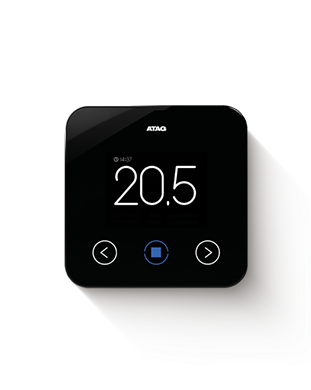
For any ATAG OneZone setup questions, please visit the OneZone support page. For any ATAG OneZone issues, please visit the ATAG Zone app troubleshooting tips page.